Liebe Zukunft,
Schön, dass es dich gibt. Das ist überhaupt nicht selbstverständlich
nach all den Dummheiten, die wir gerade anstellen. Gleich zu Anfang:
dieser Brief ist eine Bitte um Entschuldigung für diese Dummheiten. Und
für vieles weitere, denn unsere Dummheiten sind vielfältig und verworren,
zugleich lächerlich und beängstigend.
Lass mich gestehen, dass ich aus dem Jahr eins nach dem ersten Reißen
des 1.5-Grad-Ziels schreibe: Anderthalb Grad, so haben wir geglaubt,
könnten wir das Klima wärmer werden lassen, ohne dass du, liebe Zukunft,
schlimme Hungersnöte wirst auszustehen haben.
2024, im letzten Jahr, lagen wir zum ersten Mal darüber. Niemand hat
mehr Zweifel, dass das Normalzustand werden wird, dass wir auch die zwei
Grad reißen werden.
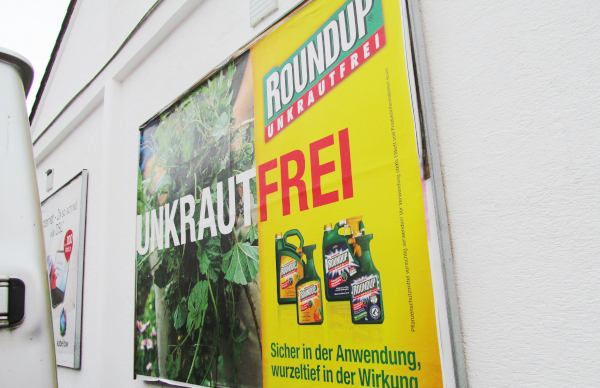
Ich will mich entschuldigen, keine Ausreden bringen: wir wissen, was wir
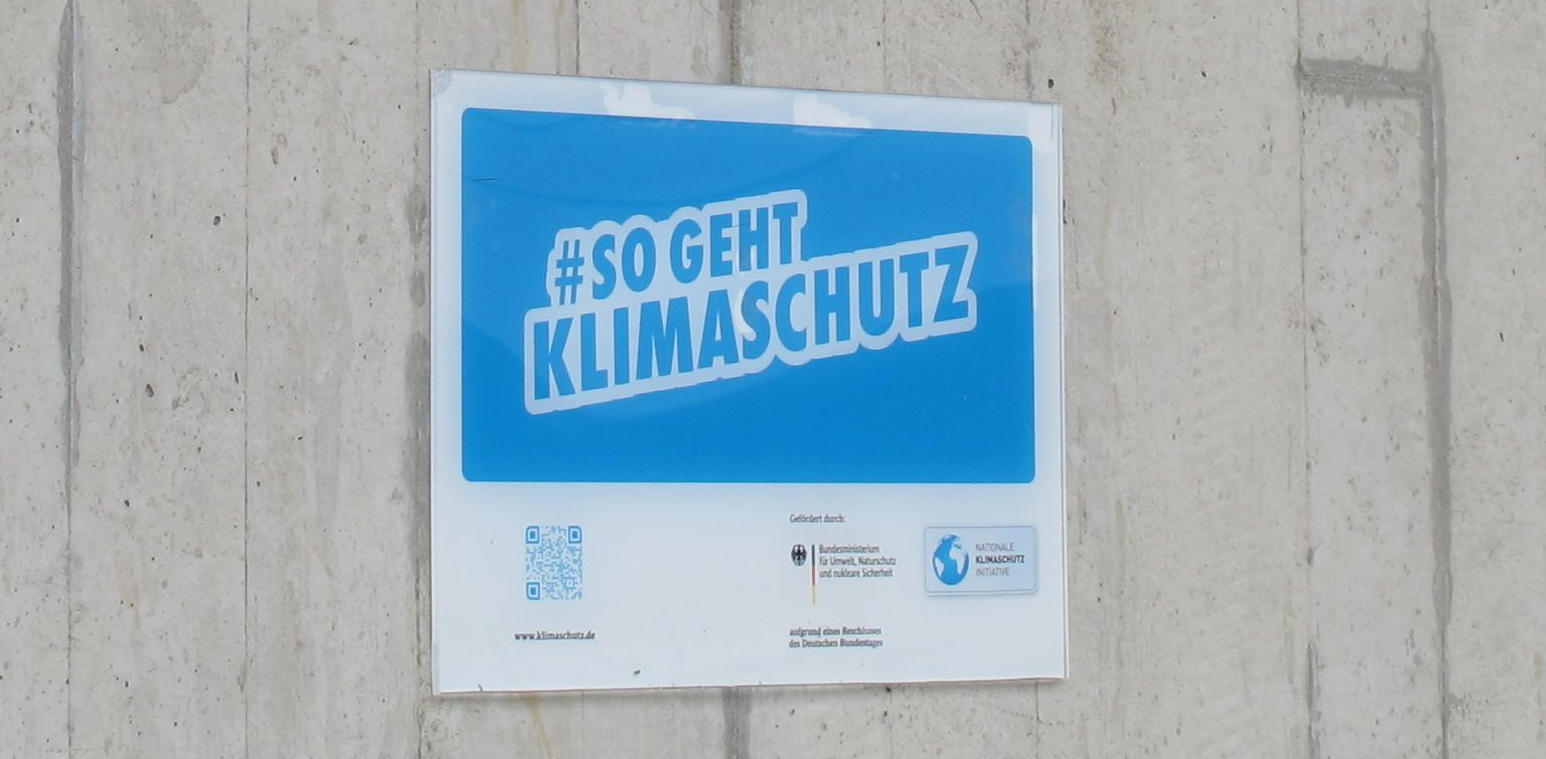
tun. Schau dir mit deinen Zukunftsaugen das folgende Plakat an, das
in meiner Gegenwart die Leute aufgehängt haben, die dich am
entschlossensten und aus den albernsten Gründen vergiften und verbrühen
möchten:
Deine Menschen, werte Zukunft, die zwischen den letzten Knochen längst
gestorbener Automobile und zerfallendem Beton versuchen, ihre karge
Hirse vorm durchfegenden Wüstenwind zu schützen, sie haben diese
Zukunft. Wir sind eifrig dabei, sie aus dem zu machen, was jetzt
gerade eigentlich noch ganz angenehm ist.
Verzeihung.
Während ich diesen Brief schreibe, haben wir „Wahlkampf“, einen
Ritus, in dem die Menschen HäuptlingsanwärterInnen huldigen;
wer am meisten Huldigung erfährt, wird für die nächste Zeit
Häuptling. Die verschiedenen AnwärterInnen buhlen mit bunten
Papptafeln an unseren Wegen um die Gunst ihrer prospektiven oder auch
gegenwärtigen Untertanen (letzteres hieße „Wiederwahl“).
Dieser Ritus wäre, das muss ich dir als Zukunft wohl nicht erklären,
eigentlich eine gute Gelegenheit, von weniger Arbeit und weniger Dreck
zu reden, gerade vor dem Hintergrund unseres rasanten Schwungs in den
Abgrund. Aber nein, stattdessen hängen die Straßen voll Unsinn, den du,
liebe Zukunft, wohl längst vergessen hast:
Was ist das, wovon die reden, fragst du? Oh je. „Deutschland“ ist zu
meiner Zeit ein „Land“, also ein Gebiet, das ein bestimmter Häuptling
kontrolliert; wer auf diesem Gebiet wohnt, muss zumindest über ein
paar Ecken diesem (selten auch mal dieser) Häuptling gehorchen.
Es gibt auch viele andere Häuptlinge, die jeweils ihre eigenen Gebiete
haben. Jeder Häuptling feuert seine Untertanen an, ihn „wieder
nach vorne“ zu bringen, wie auf dem türkisen Plakat in der rechten
oberen Ecke. Tatsächlich finden es viele Untertanen total toll, wenn
ihr Häuptling im Wettbewerb mit den anderen Häuptlingen gut aussieht.
Bei der Wahl, für die die Leute diese Plakate aufgehängt haben, ging es
um den Häuptling von diesem „Deutschland“. In der Zeit, in der ich
das schreibe, während es also eigentlich darum hätte gehen sollen, wie
wir fein leben könnten, ohne alles (und obendrein uns) kaputt zu machen,
ist der aktuelle Häuptling so aufgetreten:
„Besser für Deutschland“ meint diesen Unsinn mit dem
Häuptlingswettbewerb. Liebe Zukunft, du siehst, das war wirklich so ein
Thema, wie ich das behauptet habe. Das „Mehr für dich“ soll bedeuten,
dass die Leute mehr oder größer essen oder Auto (frage nicht, was das
ist; du würdest es doch nicht glauben) fahren können, wenn sie diesen
Häuptling wählen.
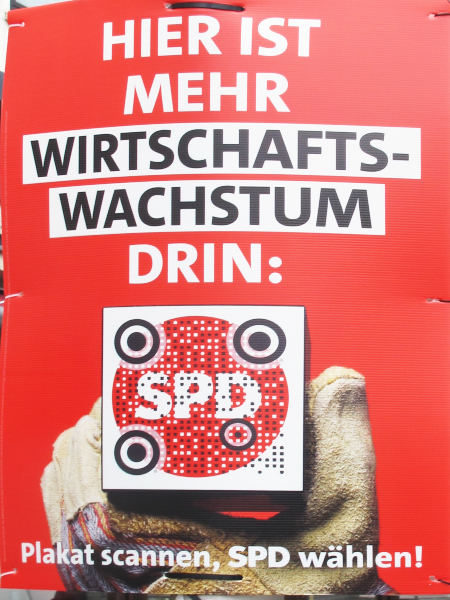
Das ist auch das implizite und völlig leere Versprechen bei dem
komischen Wort „Wirtschaftswachstum“ auf dieser Pappe:
Tatsächlich setzen heute die Untertanen das „Wirtschaftswachstum“ und
das „Mehr für dich“ mehr oder weniger gleich, obwohl es da empririsch
überhaupt keinen Zusammenhang gibt. Es ist aber auch nicht einfach zu
erklären, was es damit wirklich auf sich hat oder haben soll.
Ich probiers trotzdem mal: Zu meiner Zeit organisieren wir die
gesellschaftliche Arbeitsteilung über so eine Art Gutscheine auf die
Arbeit anderer Leute. „Geld“ nennen wir das hier, und es ist enorm
wichtig, weil auch wir ohne die Früchte der Arbeit anderer Menschen
nicht überleben können, mensch aber derzeit fast nur über diese
Gutscheine Zugang zu ihnen bekommt.
Beim „Wirtschaftswachstum“ wiederum versuchen mehr oder minder kluge
Menschen zu zählen, wie viele solche Gutscheine wohl alle zusammen
ausgetauscht haben. Ja, klar, da ist viel Schätzung dabei, aber
trotzdem: Wenn die Schätzung in einem Jahr unter der des Vorjahres
liegt, ist das kurz vorm Weltuntergang. Liegt sie darüber, heißt es
eben „Wirtschaftswachstum“. Dabei gilt mehr als besser, selbst wenn
viele Menschen Gutscheine bekommen, weil sie schädlichen Quatsch machen
wie z.B. diese „Autos“ zusammendengeln oder andere Leute mit buntem
Leuchtquatsch belästigen.
Die Gutscheine für die Arbeit anderer Leute bekommen heute die meisten
Menschen durch etwas, das wir meist „Job” nennen und das eigentlich
niemand leiden kann, außer Häuptlinge und die, die es gerne werden
wollen. „Job“ meint so in etwa: die Leute arbeiten nicht aus Einsicht
in die Notwendigkeit oder gar Freude am Zweck oder Tun, sondern um an
Gutscheine ranzukommen. Dies bedenkend verwundert das folgende Plakat
sehr:
Warum dieser Mann den Eindruck erwecken will, alles für diesen „Job“
„geben“ zu wollen, wenn er doch Häuptling werden will und fast alle, die
ihm potenziell huldigen könnten, ihren „Job“ regelmäßig aus ziemlich
guten Gründen hassen? Keine Ahnung.
Vielleicht ist es, weil die meisten Menschen furchtbar Angst haben, diesen
„Job” zu verlieren, weil sie dann ohne Gutscheine jämmerlich verenden
müssten? Aber nein, liebe Zukunft, keine Sorge: Ganz so schlimm ist
es nicht mehr in meiner Zeit. Zumindest hier, am Westrand des großen
Nordkontinents, bekommen die Leute auch ohne Job ein paar
Gutscheine und müssen nicht verhungern. Darüber haben sich übrigens
etliche der Häuptlings-Bewerber verärgert gezeigt. Auf ihre Plakate hat
das so deutlich allerdings niemand schreiben wollen. Oh, fast
niemand. Ein Plakat hat schon einen schlimmen Subtext von „wer nicht
arbeitet, soll auch nicht essen”:
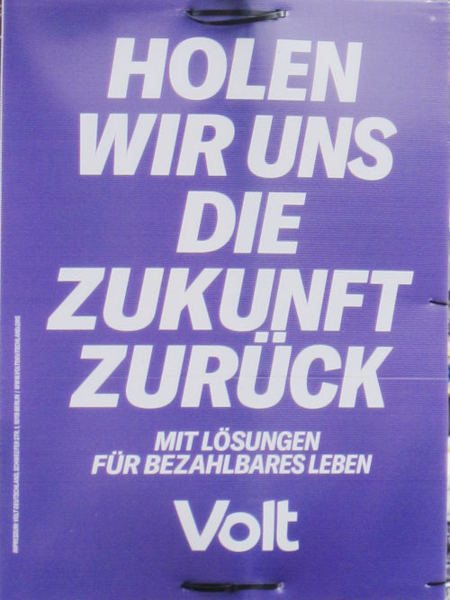
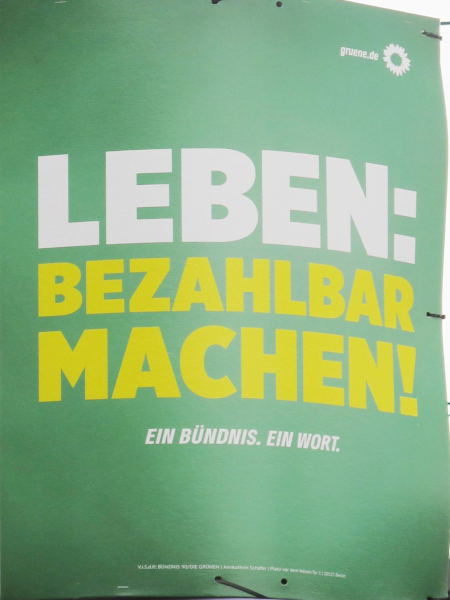
Andere Häuptlingswahlvereine haben die komischen Gutscheine ausgerechnet
in einen Zusammenhang mit dir, liebe Zukunft, gestellt, so etwa dieser
hier:
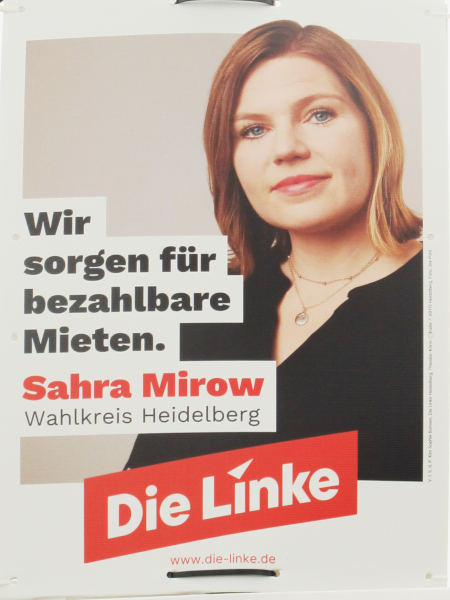
„Bezahlbar“ heißt in etwa, dass du für deine Zeit im Schnitt Gutscheine
für mehr Stunden von anderen Leuten bekommst als du selbst gearbeitet
hast. Jaja, das ist irre kompliziert. Jaja, klar kannst du nicht allen
Leuten gleichzeitig versprechen, dass ihre Zeit mehr wert ist als die
der anderen; aber niemand erwartet in meiner Zeit, dass das, was auf den
Wahlplakaten steht, schlüssig ist.
Es war auch überhaupt nicht schlimm, wenn verschiedene Menschen, die
jeweils Häuptling werden wollten, die gleichen Dinge versprachen. Zum
Beispiel wirkt das hier:
nicht so viel anders als das hier:
Oha: Was dieses „Mieten”-Ding schon wieder ist? Nun, liebe Zukunft,
das war, wenn du Menschen, die schon viele Arbeitsgutscheine hatten,
noch mehr davon gegeben hast, damit sie dich nicht aus deiner Wohnung
rauswerfen lassen. Klingt etwas wirr, war aber so; es hatte etwas damit
zu tun, dass die Arbeitsgutscheine sich irgendwann ziemlich
verselbstständigt haben. Es gibt hinter diesem „Immobilienwesen“ (so
heißt das mit dem Aus-der-Wohnung werfen zu meiner Zeit)
durchaus ein paar plausible Geschichten. Die sind allerdings zu lang für
diesen Brief.
Mieten und noch mehr das Entfliehen aus Drohung mit dem Rausschmiss
waren jedoch, das ist wichtig für dich, ein ganz großer Grund für die
Beton- und Asphaltorgien, wegen der du jetzt die großen Wüsten hast.
Verzeihung. Vielleicht wissen wir doch nicht immer ganz genau, was wir
eigentlich tun.
Trotz dieser Orgien jedenfalls haben die Menschen wie gesagt große
Sorge, dass sie irgendwann nicht genug Gutscheine haben würden und sie
der Mensch mit den vielen Arbeitsgutscheinen („Vermieter“ heißen die in
meiner Zeit) doch aus ihrer Wohnung werfen lassen würde. Nicht ganz zu
unrecht: Solche Dinge passieren recht regelmäßig. Es gibt Menschen, die
Arbeitsgutscheine erhalten dafür, dass sie andere Menschen aus ihren
Wohnungen werfen. Kein Witz.
Obsessiv ist die Sorge der Menschen, was passieren wird, wenn sie altern
und dann keinen „Job“ mehr bekommen für die Gutscheine, die sie zum
Beispiel für ihre „Miete“ brauchen. Um das etwas abzumildern, haben
Leute, die sich „Sozialdemokraten“ nannten (die aber mit denen mit den
roten Plakaten nicht mehr viel zu tun haben) schon vor über 150 Jahren
etwas erkämpft, das wir „Rente“ nennen. Das ist so eine Art
Gutscheinabo, das wir unseren Alten gönnen, auch wenn diese zu klapprig
sind, um noch für irgendwen einen „Job“ machen zu können.
Es gibt aber ein Wort, um die Menschen trotz „Rente“ in Sorge zu halten:
„Lebensstandard“. Das ist ist auch zu widersinnig, um es dir, liebe
Zukunft, in nicht zu vielen Worten erklären zu können. Aber es dürfte
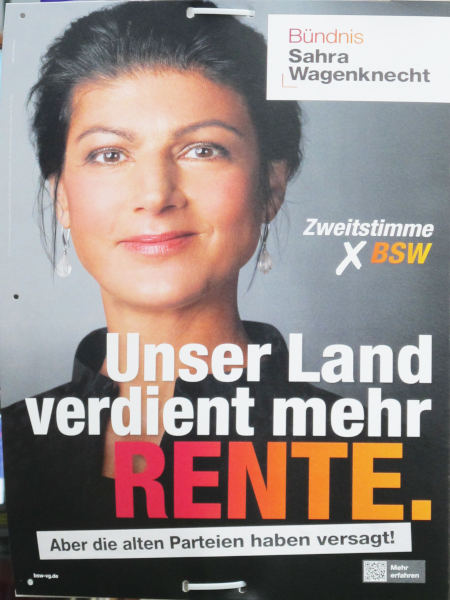
die geistige Landschaft sein, auf der Plakate wie dieses entstehen:
Wo auf diesem Plakat auf einmal das „Land“ herkommt, willst du wissen,
liebe Zukunft, wo doch die „Rente“ irgendwas für alte Menschen ist und
nicht für die Sprengel der Häuptlinge? Ich weiß es auch nicht. Wie
gesagt, eigentlich hat niemand erwartet, dass auf diesen Plakaten etwas
tatsächlich Durchdachtes oder Überzeugendes zu lesen ist.
Hier ist ein weiteres Wort, das du vergessen haben wirst: „Investition“:
Der Hintergrund: Ein paar Menschen haben Arbeitsgutscheine in großem
Umfang gesammelt (sie heißen dann „reich“; jaja, das deckt sich recht
weitgehend mit den „Vermietern“ von oben) und können sich gleich richtig
viel Arbeit auf einmal kaufen.
Das nutzen sie gelegentlich, um andere Menschen Sachen herstellen zu
lassen, für die der_die Reiche mehr Gutscheine bekommen kann als er_sie
den anderen Menschen gegeben hat. Das alles zusammengenommen heißt bei
uns „Investition“. Den Gedanken, Gutscheine einzulösen, um mit der
erhaltenen Arbeit mehr Gutscheine zurückzubekommen, finden die Menschen …
![[RSS]](./theme/image/rss.png)