![[RSS]](./theme/image/rss.png)
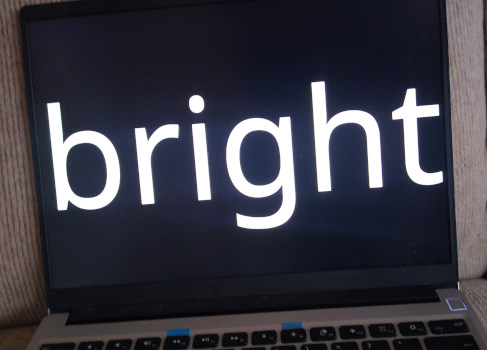
Most of the time, you want to dim the Framework's screen rather than brighten the environment. Oh, and the program shown on the screen is the fun sm.
In my loose series on how I moved into my Intel Core Ultra Framework 13, let me briefly discuss what I did about the screen backlight. You see, somewhat surprisingly on that Linux-friendly box:
$ xbacklight -set 40
No outputs have backlight property
Basics
Not having investigated the division of labour between OEM (i.e., Framework Computers) and chipset manufacturer when acquainting the X server with the backlight hardware, I can't quite say who is to blame for that failure. Perhaps it's even Xorg itself, because the kernel understands the backlight very well. See:
$ ls /sys/class/backlight/intel_backlight/
actual_brightness  brightness  max_brightness  scale       type
bl_power           device@     power/          subsystem@  uevent
By echoing into brightness, you get to set the brightness level. Using:
$ cat max_brightness
192000
it turns out that echo 96000 > brightness ought to give you about half the full intensity, and you can be extremely precise in picking the right level of backlight (or, more likely, have really smooth transitions).
So, here's my xbacklight replacement, put on my path as setbacklight:
#!/bin/sh
echo $1 > /sys/class/backlight/intel_backlight/brightness
This command will not usually work when executed as a normal user because the brightness file is only writable by root; but then becoming root for something as mundane as setting the level of backlight does not fit my idea of privilege separation, and I don't want to have to think about the security implications of echo $1 in a script executed with elevated privileges.
Hence, in my /etc/rc.local I'm fixing the privileges of the brightness file like so:
# allow backlight control by users
chmod 666 /sys/class/backlight/intel_backlight/brightness
Automation
Based on this, I am doing some basic automation. On my old hardware, I have been using the camera to estimate the ambient light when it woke up. For now I am still doing this. It certainly would be preferable to use a proper ambient light sensor, but I have not found one in the machine so far. Perhaps one can abuse the fingerprint sensor for that?
For the time being, I am using this little script to go from camera to light:
#!/usr/bin/python
import contextlib
import os
import subprocess
import sys
import time

import cv2

LINEAR_X = 0.55
LINEAR_Y = 192000
BASE_Y = 2000

def ramp_function(input_val):
    return int(LINEAR_Y*input_val)


@contextlib.contextmanager
def cv_properties(cap, *props):
    to_reset = []
    try:
        for prop, val in props:
            to_reset.append((prop, cap.get(prop)))
            cap.set(prop, val)

        yield
    finally:
        for prop, val in to_reset:
            if val!=float('inf'):
                cap.set(prop, val)


def grab_image(cap):
    for i in range(20):
        img_available, img = cap.read()
        if img_available:
            break
        time.sleep(0.1)
    else:
        raise Exception("Camera does not respond")
    img_available, img = cap.read()
    return img


def get_level(cap):
    img = grab_image(cap)
    img = cv2.cvtColor(img, cv2.COLOR_BGR2GRAY)

    intensity = cv2.mean(img)[0]
    print("intensity", intensity)

    return img, intensity


def main():
    cap = cv2.VideoCapture(0)

    cap.set(cv2.CAP_PROP_FRAME_WIDTH, 640)
    cap.set(cv2.CAP_PROP_FRAME_HEIGHT, 480)

    with cv_properties(cap,
            (cv2.CAP_PROP_AUTO_EXPOSURE, 0.0)):
        img, old_level = get_level(cap)
        time.sleep(0.5)

        for retry in range(2):
            img, level = get_level(cap)
            if abs(old_level-level)<2:
                break
            old_level = level
            time.sleep(1)

    subprocess.check_call(["setbacklight",
        str(max(50, ramp_function(level/255)))])


if __name__=="__main__":
    main()
Admittedly, this doesn't quite always get it right, and incidentally, turning off auto exposure did not improve things at all for me, for whatever reason.
Anyway, for when the script gets it wrong, I have for following shell aliases (in ~/.aliases, but I can't promise your shell will source this):
alias tag="setbacklight 40000"
alias abend="setbacklight 10000"
alias sonne="setbacklight 120000"
alias vollekanne="setbacklight 192000"
alias nacht="setbacklight 100"